A crypto wallet you open with Face ID.
No seed phrase. Your passkey lives in your own Apple or Google account; SchnelPay never holds it.
Testnet only. Never send real funds to your SchnelPay Wallet address. This app can't move real ETH sent to it.
Three steps, no seed phrase
SchnelPay Wallet is in testnet beta. Here's what it does today.
Create with a passkey
Set up in seconds with Face ID or Touch ID. Nothing to write down, and nothing to install — it runs in your browser.
Receive and send ETH on Base
Share your address, a QR code, or a payment link to receive. Send ETH with the network fee shown before you confirm — “Confirmed” appears only once the blockchain confirms it.
Use it on your other devices
Your passkey syncs through your own Apple or Google account, so the same wallet is there on your other devices.
Unlock with a passkey — no password, no seed phrase
Here's what you'll see when you open the wallet — real screens from the testnet beta.
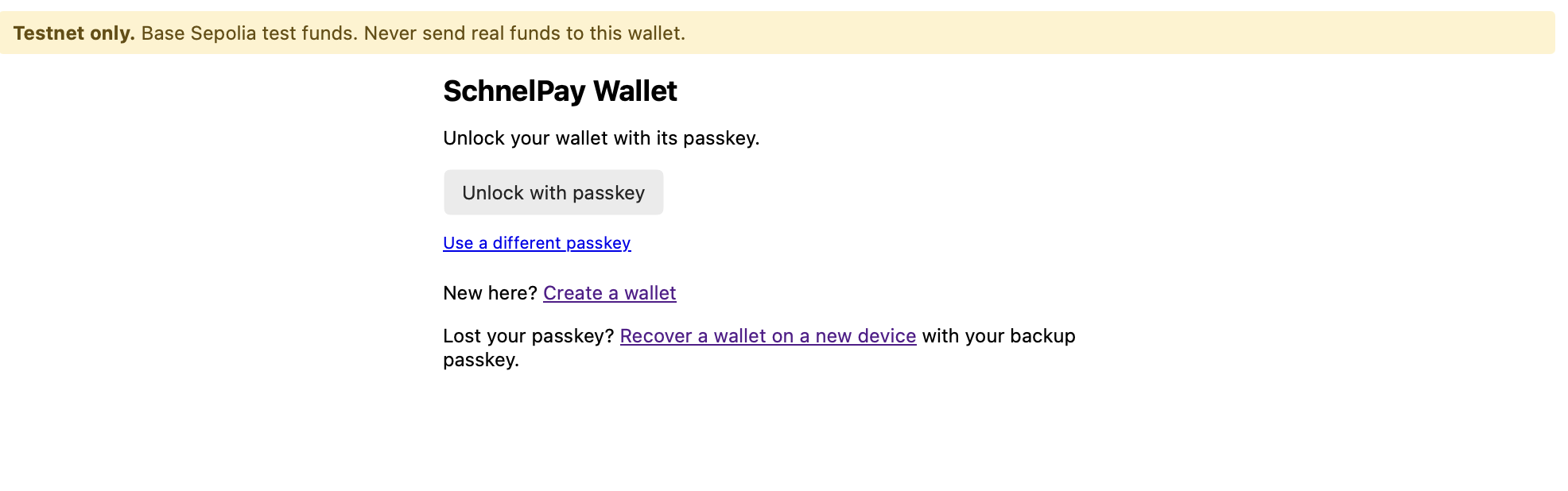
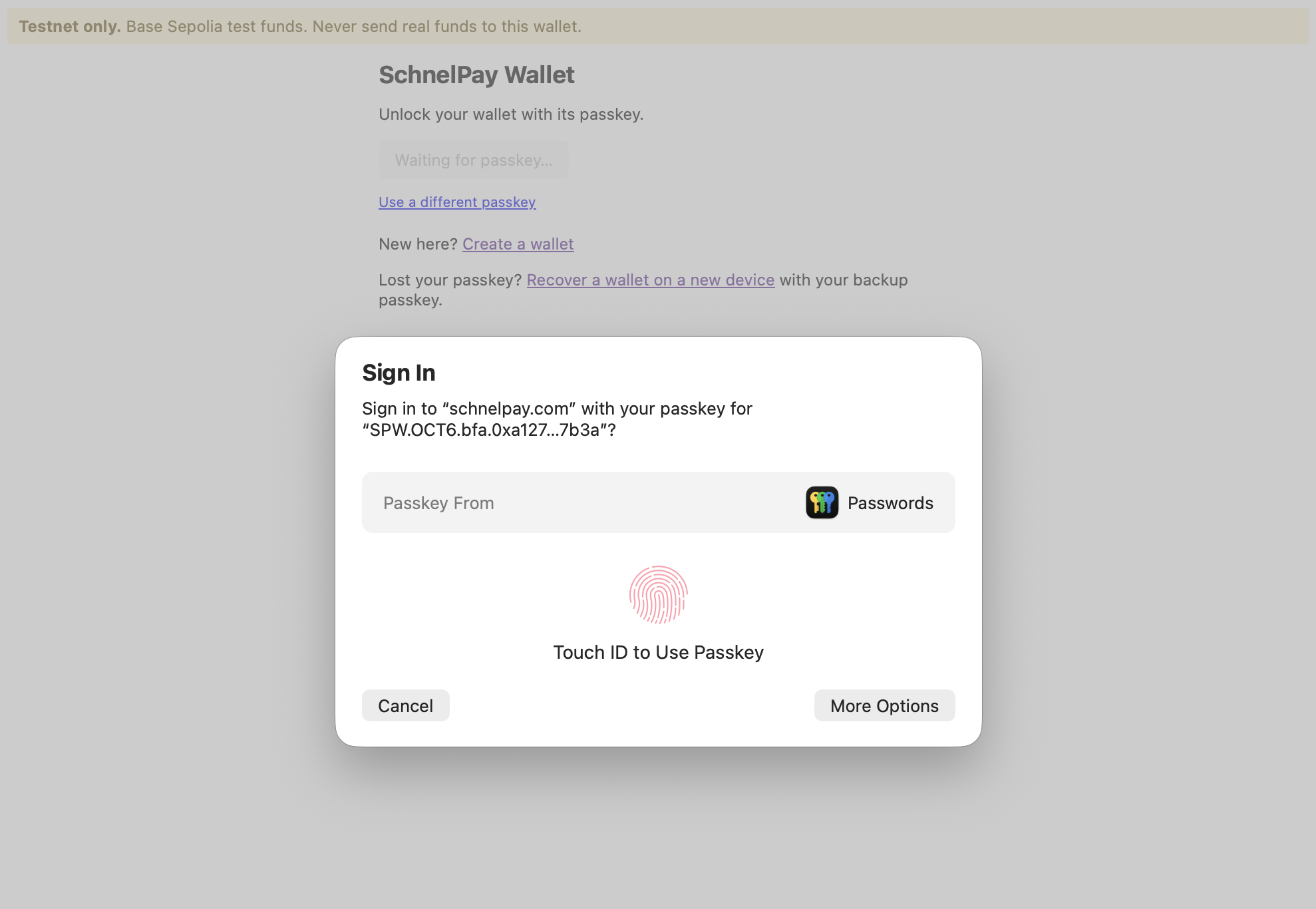
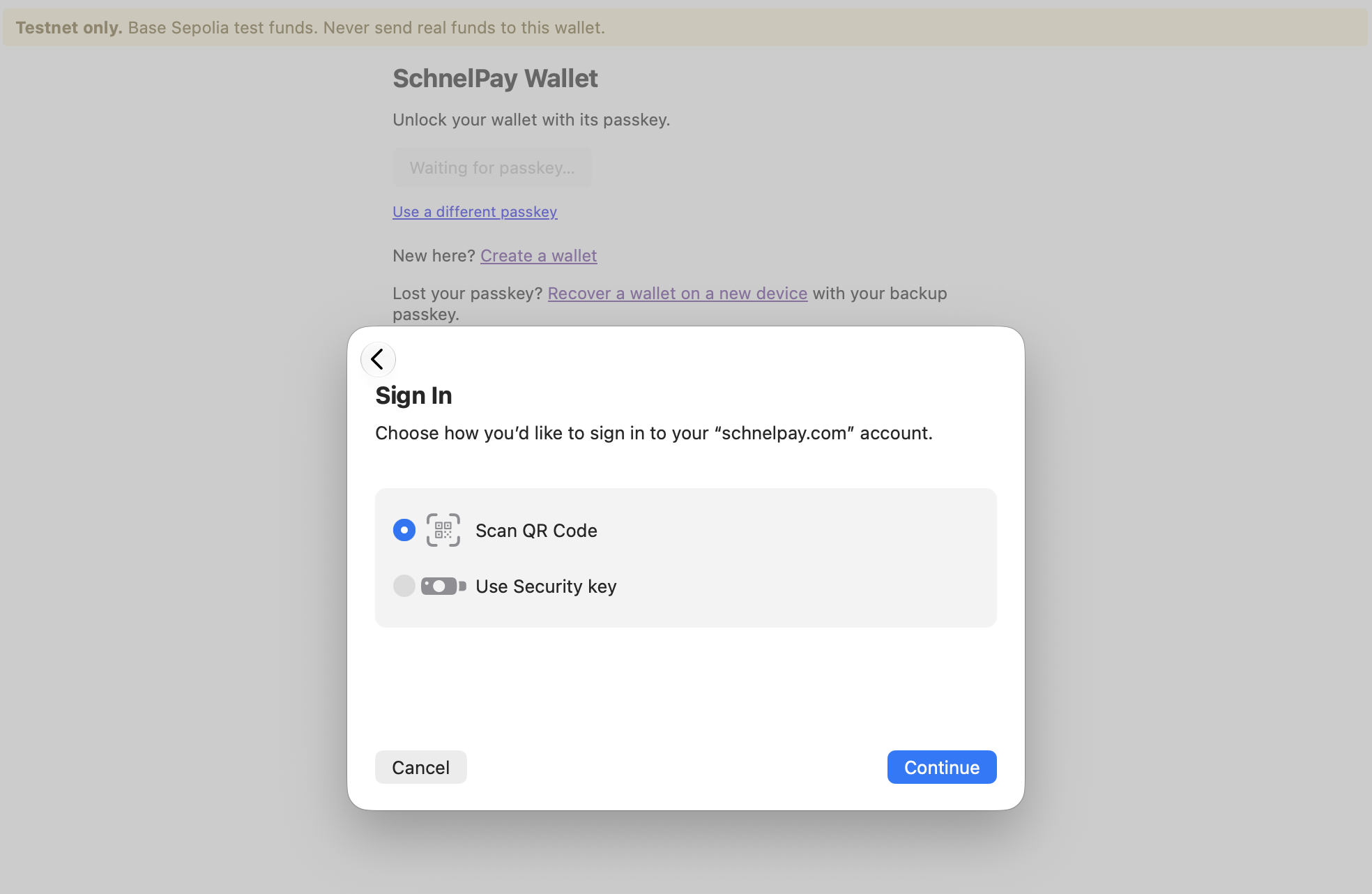
Testnet beta on Base Sepolia — test funds only.
Recovery without a seed phrase
Lose your phone? Get back in without ever writing down a secret phrase.
- Add a backup passkey — on a second device or a hardware security key.
- If you lose your main passkey, start a recovery from a new device using your backup.
- Recovery waits before it completes — 5 minutes in the testnet beta, 48 hours planned for mainnet. During that wait you can cancel any recovery you didn't start.
- Turn recovery off anytime.
SchnelPay can't recover your wallet for you, and can't move your funds. Only your passkeys can.
What SchnelPay can and can't do
SchnelPay can't
- Hold your funds
- Move your funds
- Freeze your funds
- See your passkey
SchnelPay can
- Show you the wallet app
- Relay your signed transactions to the network
- Store your wallet's public address so your devices can find it
Built on open standards
Proven, public components — not a black box.
Base
An Ethereum Layer 2.
Passkeys (WebAuthn)
The standard behind Face ID / Touch ID sign-in. Phishing-resistant and bound to the SchnelPay wallet domain.
ERC-4337
The smart-account standard that makes passkey wallets and recovery possible.
Coinbase Smart Wallet
The open-source smart-account contract the wallet is built on.
Built on Coinbase Smart Wallet, an open-source smart-account contract. Coinbase has published independent audit reports for it.
SchnelPay's own recovery module hasn't been externally audited yet — an external audit is planned before mainnet.
Where things stand, stated plainly
Stage
Open testnet beta. Testnet funds only — it isn't live for real funds yet.
Mainnet
Gated on an external security audit. No mainnet contracts are deployed yet.
Recovery module — source public & verified
The recovery module's source code is public and verified on Base Sepolia.
Questions, answered honestly
Is it live?
It's an open testnet beta on Base's test network — anyone can try it, no invite needed.
Which coins can I use?
ETH on Base testnet, for now.
What are the fees?
Network fees, shown before you confirm.
What if I lose my phone?
Recover from a new device using your backup passkey.
What if I lose my phone and my backup?
Then the funds can't be recovered — that's the trade-off of a wallet only you control. Keep a backup passkey somewhere safe.
Does recovery cost anything?
Small network fees, paid from a separate relay wallet that only your backup passkey controls. In the beta, the recovery screen shows how much test ETH it needs and where to get it.
Is it quantum-safe?
No. QuantumShield™ protects sign-in on the SchnelPay on-ramp only — it doesn’t apply to SchnelPay Wallet.
Try the SchnelPay Wallet
Open testnet beta on Base — no sign-up, no invite. Create a wallet with Face ID and send test ETH, right in your browser.
Testnet only. Never send real funds to your SchnelPay Wallet address. This app can't move real ETH sent to it.